




I approached AdTranquility VPN Spam Blocker as a practical Android utility rather than expecting it to replace every privacy tool on my phone. Its purpose is straightforward: combine VPN-style connection protection, proxy access, and a way to reduce notification pop-ups in one app. That combination makes it interesting for people who want fewer interruptions without installing several separate tools, although it also means you need to understand what the app can realistically do before making it your only privacy solution.
In everyday use, I found the appeal easy to understand. A phone can become noisy because of promotional notifications, questionable pop-ups, and networks that are not especially trustworthy. AdTranquility puts those concerns under one roof. It is a free Tools app from Leverage Technologies Social Media LLC, available for Everyone, and its current version is 2.1.5. The app has passed the point of being an obscure experiment: it has over a million installs, with a 4.6 average from around forty-eight thousand ratings.
How AdTranquility VPN Spam Blocker feels today
A simple starting point for everyday privacy
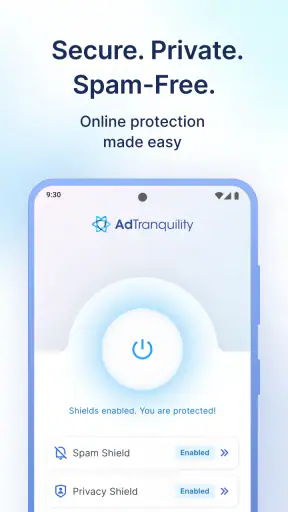
The first thing I noticed is that the app is aimed at convenience. Someone who has never configured a proxy or used a VPN can understand the basic idea quickly: open the app, choose the protection or blocking function that fits the moment, and return to normal phone use. That simplicity is valuable because privacy tools often lose people with technical language, server menus, and settings that sound more complicated than they need to be.
Its strongest audience is therefore the ordinary Android user who wants a fast layer of protection on public Wi-Fi, fewer distracting notification pop-ups, or a single place to manage these concerns. I would especially consider it for a secondary phone, a travel device, or a personal handset used in cafés, hotels, libraries, and shared workplaces. Those situations do not require a complicated security dashboard; they require something I can remember to turn on.
The app also makes sense for users who are tired of installing separate products for every small annoyance. A dedicated VPN, a proxy utility, and a notification-management tool can each have their own interface and background behavior. AdTranquility’s all-in-one approach reduces that clutter. The trade-off is that a combined utility may not offer the depth of a specialist app in every area, so convenience should be viewed as its main strength rather than proof that it is the most advanced option available.
What the main tools are useful for
The VPN function is most useful when I am connecting through a network I do not fully trust. I see it as a protective habit for browsing and ordinary app traffic, not as a magic shield against every online risk. A VPN cannot make a careless password safe, remove malware from a downloaded file, or stop a user from handing information directly to a suspicious website. I still need to check the address I am visiting and avoid treating the connection as a substitute for basic security judgment.
The proxy element is helpful when I want an alternative route for online access without changing every network setting manually. This can be convenient for quick browsing or for testing how a connection behaves through a different route. However, proxy and VPN behavior are not interchangeable in every situation. Some apps may handle them differently, and a connection that works well for browsing may not behave identically with streaming, games, banking apps, or other services that monitor network changes.
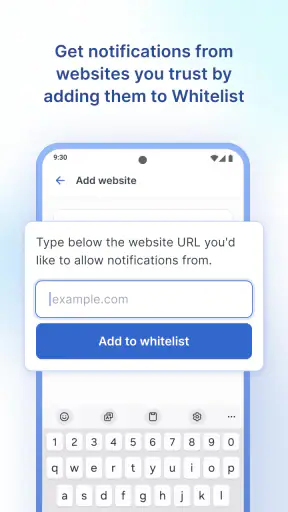
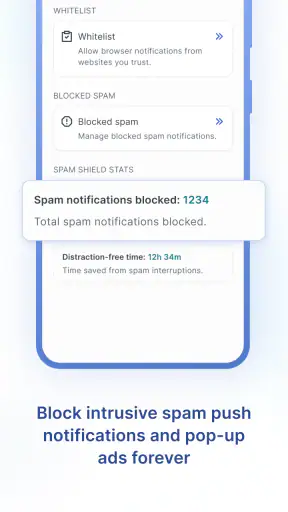
The notification-blocking side is the feature I would expect to matter most to people who describe their phones as constantly interrupting them. It is not merely a cosmetic improvement. Fewer unwanted alerts can make it easier to notice the messages and reminders that actually matter. I would still review Android’s own notification controls, because system-level settings are often the better place to silence one specific application while leaving everything else untouched.
A realistic day-to-day example
Imagine I am working for an afternoon from a busy café. Before opening my laptop or checking messages, I connect my phone through the app’s VPN function. During the same session, I do not want promotional alerts repeatedly appearing while I am reading documents, so I use the blocking feature to reduce that noise. When I leave, I disconnect rather than leaving the connection running without a reason.
That workflow shows where the app fits well: short, intentional sessions where I want privacy support and a calmer screen. It also highlights a useful habit that is easy to miss. I would not automatically leave every protection mode active all day. Some services react badly to changing network routes, and a VPN can affect speed or access to local devices. Turning it on for public networks and turning it off when I need local connectivity is more sensible than assuming “always on” is always better.
What has changed in the current release
The current version, 2.1.5, is the clearest reference point for anyone deciding whether to install the app now. Its release history shows that the product has had time to mature since it first appeared on October 16, 2019. I would interpret that evolution cautiously: a newer version can improve usability and compatibility, but a version number alone does not prove that every connection, device, or Android configuration will behave perfectly.
For existing users, the practical lesson is to update before judging the app based on an older installation. VPN utilities depend heavily on the operating system, network conditions, and other apps competing for connection access. If an earlier build was unreliable, a current installation is the fairer test. I would also restart the phone after a major update if the VPN indicator or notification behavior seems inconsistent; that simple step can clear a temporary system conflict without requiring more aggressive troubleshooting.
The app supports Android 8.1 and later, which gives it a reasonably broad audience while still making the operating-system requirement important. Anyone using an older handset should check compatibility before planning around it. On a supported phone, I would pay attention to Android’s battery and background restrictions, because the system may limit an app that needs to maintain a connection or monitor notification activity. That is not necessarily a flaw in AdTranquility, but it can affect the experience.
How the update affects people already using it
For someone who already relies on the app, the main benefit of staying current is consistency. VPN tools are unusually sensitive to changes elsewhere on the phone. Android updates, security software, battery-saving rules, and network switches can all influence whether a connection starts promptly or remains active. Keeping the app current gives existing users the best chance of avoiding issues that have already been addressed in later builds, without promising that every problem will disappear.
I would review the app after updating in three short tests rather than assuming it is working because the icon is present. First, connect on a familiar Wi-Fi network and confirm that normal browsing still works. Next, switch between Wi-Fi and mobile data to see whether the protection state behaves as expected. Finally, send myself a test notification from an app that usually interrupts me. These checks are more useful than simply opening the settings screen because they test the functions I actually depend on.
There is also a privacy habit worth keeping in mind: a VPN can change how websites and services recognize a connection. If a banking or shopping app asks for an extra verification step after I connect, I do not automatically assume the app is broken. Network changes can look unusual to security systems. For sensitive accounts, I prefer to use the service’s normal trusted connection and reserve the VPN for browsing or public networks where its value is clearer.
Where it compares well with usual alternatives
Compared with using Android’s built-in notification controls alone, AdTranquility offers a broader approach because it also addresses VPN and proxy use. That is convenient if I want one app rather than a collection of separate settings. Android’s controls remain better when my only goal is to silence one noisy application with precise, permanent rules. In that narrow case, installing a larger utility may be unnecessary.
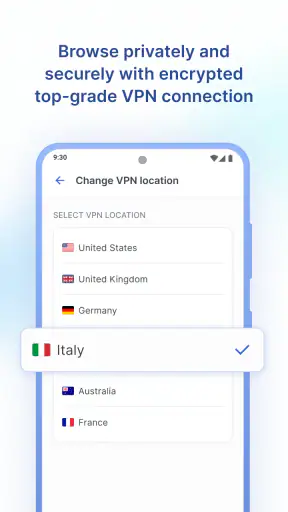
Compared with a specialist VPN, AdTranquility is more approachable for casual use. A dedicated VPN service may provide more detailed location choices, connection diagnostics, or advanced privacy controls, depending on the product. I would choose that kind of alternative if I needed a carefully managed connection for frequent travel, professional work, or a household with several devices. AdTranquility is more attractive when I value a compact Android-focused workflow over a large feature set.
Compared with a standalone ad or spam-blocking tool, the advantage here is the combined purpose. I do not have to switch between a blocker and a connection utility. The disadvantage is that blocking behavior may not be as finely adjustable as a tool designed only for that job. If I need detailed per-app rules or very specific filtering logic, I would investigate a specialist solution instead of assuming the combined design will cover every edge case.
Small details that make the workflow better
One useful approach is to separate “privacy session” from “quiet phone session.” I do not need to activate every function at once. For example, I might use the VPN on public Wi-Fi but leave notification settings alone when I am waiting for an important delivery alert. At home, I might want fewer pop-ups but no VPN because I need local devices to discover one another. Treating the tools independently prevents the all-or-nothing habit that makes combined apps feel less flexible.
A second practical tip is to test the app with the services I use most before traveling. I would open a browser, a messaging app, a payment service, and any work application while connected. This reveals compatibility problems while I am still at home, where troubleshooting is easier. It also helps me identify which services require the normal connection and which are comfortable behind a VPN or proxy.
A third insight is to watch for the difference between a blocked interruption and a missing important alert. Notification reduction can be helpful, but I would not apply it blindly to authentication apps, calls, calendar reminders, delivery services, or family messaging. The best result comes from using the app to reduce genuinely unwanted noise while checking Android’s notification permissions for anything that must remain visible.
Costs, limits, and the questions I would ask first
The app is free to install, which makes trying it relatively easy. It also includes in-app purchases ranging from $2.99 to $125.95 per item. That wide range is important enough to inspect carefully before confirming anything. I would look at the exact purchase screen, determine whether an option is recurring or one-time, and decide whether the paid features solve a problem I actually have. A free download should not be treated as proof that every useful function is free.
I would also ask whether the app is right for my particular threat model. If I only want fewer promotional notifications, Android’s built-in controls may be enough. If I need advanced VPN management, multi-device coverage, detailed connection information, or a service selected specifically for professional privacy requirements, a specialist provider may be a better fit. AdTranquility is strongest in the middle: more convenient than juggling several basic tools, but not automatically the best answer for demanding users.
Another question is whether the phone can tolerate a VPN connection during normal use. Some users will notice slower loading, extra verification prompts, or difficulty reaching local network devices. I would not call those outcomes universal, but they are realistic trade-offs whenever traffic is routed differently. The sensible response is to compare the app’s behavior on the networks I actually use instead of judging it from a single connection in ideal conditions.
What I would watch going forward
For future updates, I would pay attention to compatibility with newer Android releases, clearer explanations around connection status, and smoother handling when moving between Wi-Fi and mobile data. Those are the areas that determine whether a VPN utility feels dependable rather than merely useful in a controlled test. I would also welcome transparent controls that make it obvious which function is active and what happens when the system pauses the app in the background.
I would watch the notification-blocking experience especially closely. The ideal balance is fewer unwanted interruptions without making important alerts difficult to find. Any improvement should preserve user control rather than simply blocking more. For me, a clear way to understand and adjust the behavior would matter more than adding another prominent button.
The app’s long presence on Android and its strong user response make it worth considering, but popularity should not replace personal testing. The best evaluation is a short trial on the networks, apps, and notification patterns that define my day. If the connection starts reliably, ordinary browsing remains comfortable, and the phone becomes noticeably less distracting, the combined design earns its place. If I need precise specialist controls, I would move to a dedicated alternative instead.
My final recommendation
I would recommend AdTranquility VPN Spam Blocker to an Android user who wants a straightforward way to combine a VPN-style connection, proxy access, and notification relief. Its free entry point, Everyone age rating, broad Android 8.1 compatibility, and established user base make it approachable. I especially like it for public Wi-Fi sessions and for phones overwhelmed by low-value alerts.
I would skip it as my only security measure if I needed advanced privacy controls or a carefully managed solution for work, banking, or multiple devices. I would also avoid paying for an option without first identifying what it adds to my own routine. Used with realistic expectations, though, this is a practical utility rather than a complicated project. My advice is to use it selectively, test your essential apps, and keep Android’s own notification and security settings involved. That combination gives AdTranquility a useful role without asking it to do more than it was designed to do.


